A Beginner’s Guide to Home Theater Electronics: Everything You Need to Know

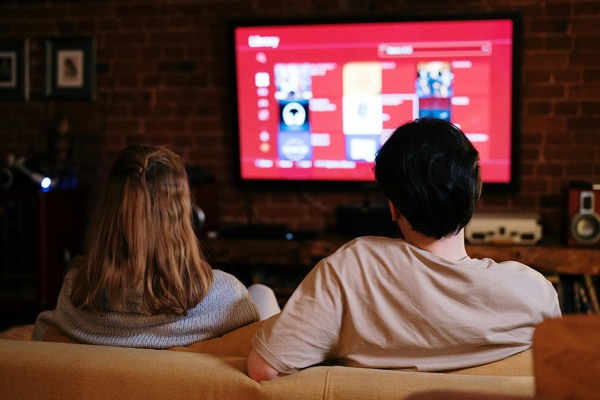
Creating an immersive home theater setup doesn’t have to be overwhelming, even if you’re new to home theater electronics. With the right components and setup tips, you can elevate your movie nights, gaming experiences, and streaming marathons to cinematic quality—all from the comfort of home. Here’s a beginner-friendly guide covering the essential pieces of equipment, setup basics, and tips for making the most of your home theater.
Core Components of a Home Theater System
Display Options: Projectors vs. TVs
The display is the centerpiece of any home theater, setting the tone for your entire setup. Depending on your space and preferences, you can choose between a large-screen TV or a projector and screen combination.
- TVs: Modern 4K and 8K TVs deliver exceptional image quality with vibrant colors and deep contrast. They’re often simpler to install and provide easy integration with other home theater components.
- Projectors: A projector paired with a large screen can replicate the true theater experience, particularly in dark rooms. Today’s projectors offer impressive 4K quality and are great for creating a cinematic ambiance.
Sound Systems: Soundbars vs. Surround Sound Systems
Audio is crucial for an immersive experience, and there are options suited for both simplicity and high-quality sound.
- Soundbars: Compact and easy to set up, soundbars offer an all-in-one solution with some models even supporting Dolby Atmos for a surround sound feel. They’re perfect for small spaces and those who prefer minimal setups.
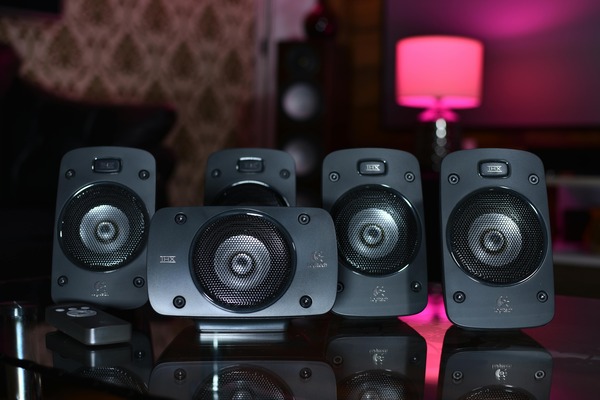
- Surround Sound Systems: For those wanting a full theater experience, a 5.1 or 7.1 surround sound system (with speakers positioned around the room) creates a deep, layered soundscape. More advanced systems include Dolby Atmos speakers that provide overhead audio, making sounds feel as though they’re coming from above.
The AV Receiver: The Brain of the Operation
An AV receiver is the control center of your home theater. It connects all your audio and video components, directing audio to the speakers and video to the display. Look for a receiver that supports the latest video and audio formats, including 4K HDR and Dolby Atmos. This way, your home theater will be future-proof and ready to handle new content standards as they emerge.
Setting Up Your Home Theater System
Optimizing Display Placement
Where you position your display can dramatically impact your viewing experience. Here are some tips for achieving the best results:
- Height and Distance: The center of your screen should align with eye level when you’re seated. If using a projector, position it far enough to produce a large screen size without losing clarity.
- Viewing Angle: Aim to sit within a 30-degree angle from the center of the display. This provides a comfortable viewing position without straining your eyes.
Ideal Speaker Placement
Proper speaker placement is essential for getting the most out of your audio system. Each speaker has a role in creating a realistic sound environment:
- Front Speakers: Place the left and right speakers at ear level, slightly angled towards the main seating area. The center speaker should be directly above or below the display.
- Surround Speakers: For a 5.1 setup, place the surround speakers to the sides or slightly behind the seating area. In a 7.1 system, add rear speakers behind the seating area.
- Subwoofer: The subwoofer can be placed almost anywhere in the room, but positioning it near a wall or corner amplifies bass effects.
Using these placement guidelines ensures your home theater electronics deliver a balanced and immersive sound experience.
Maximizing Your Home Theater’s Potential with Smart Features
Smart Controls and Universal Remotes
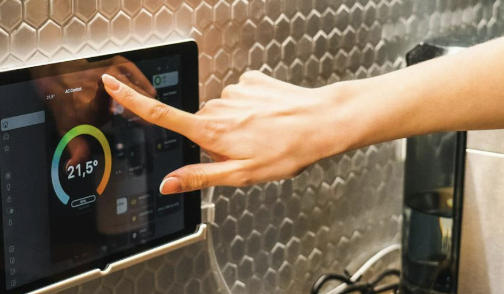
A universal remote streamlines your setup, allowing you to control all your devices with a single tool. Many universal remotes also work with voice assistants, adding convenience to your viewing experience. You can adjust the volume, change inputs, or launch streaming services hands-free, making it easy to manage multiple components in your home theater.
Smart Lighting for Ambiance
Smart lighting enhances the theater feel, allowing you to dim the lights as the movie begins or change colors to match the mood. LED light strips behind the TV or screen can reduce eye strain while creating a soft glow, and RGB lighting can sync with on-screen colors to add an extra level of immersion. Many smart lighting systems are controllable by app or voice, letting you adjust the ambiance without leaving your seat.
Tips for Improving Your Home Theater Experience
Calibrating Your TV or Projector
Most TVs and projectors come with pre-set picture modes that don’t always offer the best viewing experience. Calibrating your display can help you achieve more accurate colors and contrast levels.
- Brightness and Contrast: Adjust these settings to prevent the picture from looking washed out or overly dark.
- Color Temperature: Set to “warm” for a more natural look, particularly in dark rooms.
- Sharpness: Turn down sharpness to avoid artificial-looking images; over-sharpening can reduce the realism of what you’re watching.
Calibration isn’t just for professionals—many devices come with built-in guides or apps to help you adjust settings on your own.
Reducing Echo and Improving Acoustics
Room acoustics can greatly impact audio quality. If your home theater is in a large, open room, adding soft furnishings like rugs, curtains, and even acoustic panels can reduce echo and enhance sound clarity.
- Carpet or Rug: Placing a carpet in front of the TV or screen reduces sound reflection and prevents audio from becoming too sharp.
- Acoustic Panels: These panels absorb sound, making dialogue and background audio more distinct. Placing a few panels on the walls or ceiling can drastically improve sound quality.
- Curtains: Heavy curtains can help block outside noise and prevent sound from bouncing off windows, contributing to a clearer, more immersive audio experience.
Keeping Your Home Theater Updated
As technology evolves, new devices and updates for your home theater electronics can enhance your experience. Here’s how to keep your system up to date:
- Firmware Updates: Many smart devices, including AV receivers, soundbars, and projectors, offer firmware updates that improve performance or add features. Regularly check for updates to keep everything running smoothly.
- Streaming Service Compatibility: As streaming services upgrade to higher-resolution formats like 4K or 8K, make sure your setup supports these formats for the best picture quality.
- Upgrading Components Over Time: Start with core components and upgrade over time as your budget allows. A new projector, an upgraded soundbar, or additional smart features can each make your home theater feel fresh and cutting-edge.
Staying current with updates and adding new components periodically helps you enjoy the latest in home theater technology without overhauling your setup all at once.
Ready to Transform Your Space?
Setting up a home theater can be as simple or as detailed as you want it to be. By understanding the essential home theater electronics—from displays and speakers to smart lighting and controls—you’ll have everything you need to create an experience that rivals the cinema. And with careful setup and a few simple adjustments, you can maximize your home theater’s potential, making every movie night, game day, and streaming session a memorable one.
About the Author